In the colossal, creature-filled cosmos of Palworld, where empires are built on the backs of Pals and fortunes can be made or lost in an instant, a single, silent threat looms over every player's paradise: the dreaded data wipeout! This monstrous game, bursting at the seams with content, is a digital frontier of both immense joy and potential heartbreak. A sudden crash, a cryptic glitch, a single misstep in the volatile landscape of early-access gaming—and poof! Hours, days, even weeks of painstaking progress can vanish into the digital ether, leaving behind nothing but the hollow echo of lost achievements. But fear not, intrepid Pal-tamers of 2026! This is not your fate. Armed with the arcane knowledge of save file sorcery, you can transform from a vulnerable victim of volatile code into an immortal architect of your own world. This definitive guide will unveil the sacred secrets of locating, safeguarding, and resurrecting your precious Palworld progress, ensuring your legacy on Palpagos Island is etched not in sand, but in the unbreakable stone of multiple, meticulously crafted backups!
🔍 The Grand Hunt: Unearthing Your Palworld Save File Treasure Trove
The quest begins with a simple, yet powerful, incantation. Upon your keyboard, simultaneously press the mystical Windows Start button and the enigmatic 'R' key. Behold! The Run Command Window materializes before you. Here, you must type the sacred phrase: %LocalAppData% and press Enter.
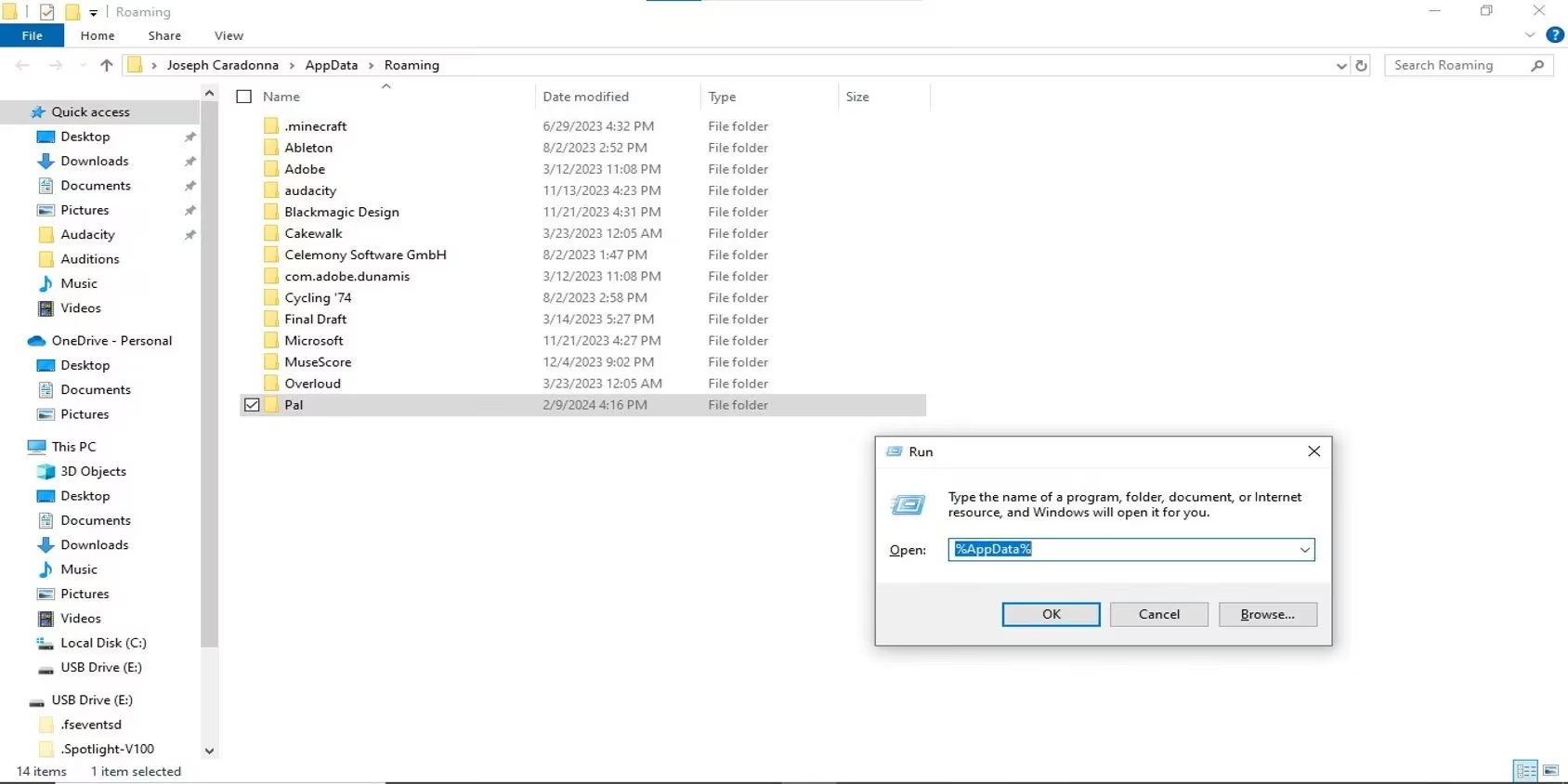
This arcane command transports you to the hidden heart of your computer's local data. Navigate this digital labyrinth until you discover the fabled folder named "Pal". Venture inside, journeying deeper through the subsequent gateways labeled "Saved" and then "SaveGames". Your reward awaits: a folder cryptically named with your unique Steam 64-bit ID. Open this final chamber, and there they lie—the crystalline archives of every Palworld adventure you've ever embarked upon!
💾 The Sacred Ritual: Forging an Impenetrable Backup Vault
Now that you've located the source, it's time to perform the ritual of preservation. Peer into your active Palworld saved data folder. You should witness the following guardians of your game state:
| File/Folder Name | Its Divine Purpose |
|---|---|
Backup (Folder) |
The chamber of past timelines. |
Players (Folder) |
The ledger of every character's soul. |
Level.sav (SAV File) |
The blueprint of the world itself. |
LevelMeta.sav (SAV File) |
The metaphysical laws governing the world. |
LocalData.sav (SAV File) |
The essence of your player's journey. |
WorldOption.sav (SAV File) |
The commandments you set upon creation. |
The quartet of .sav files represents the most recent, fragile snapshot of your current reality.
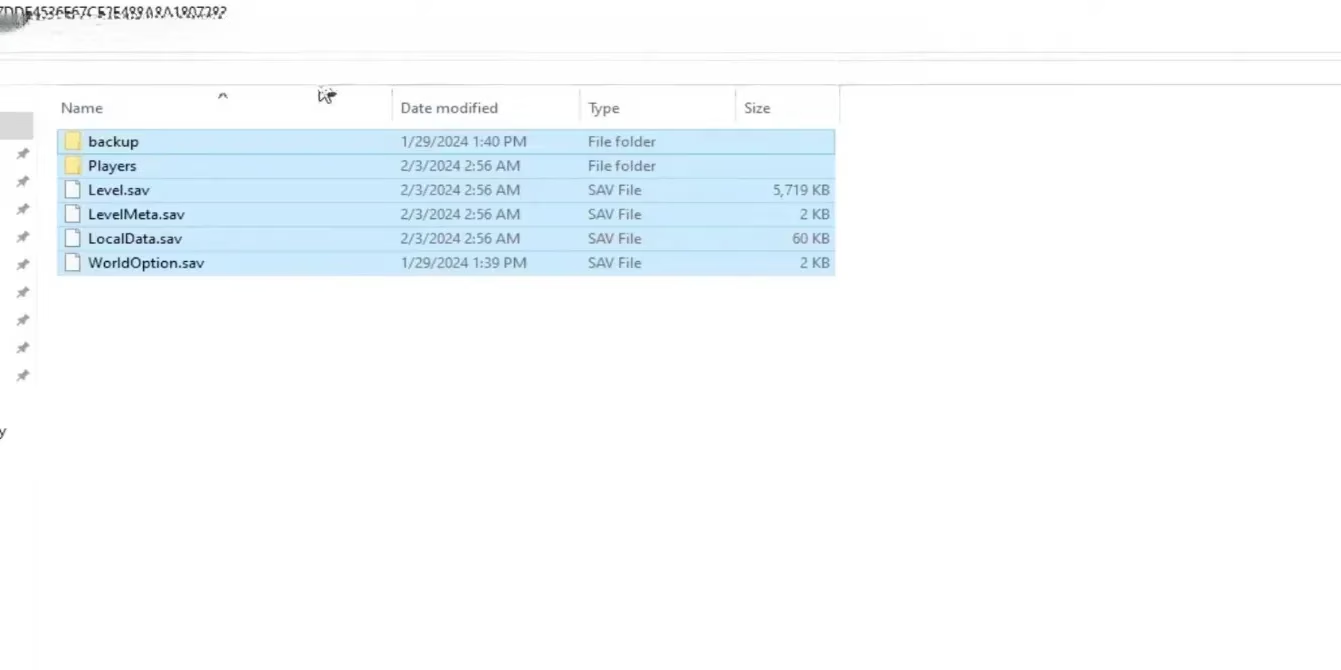
To capture a moment in time, you must delve into the Backup folder. Here, you'll find two sub-realms: Local and World.
-
Enter the
LocalRealm: Inside, you'll find folders named with precise dates and times—chronological tombs of your past selves. Identify the temporal marker of the save you wish to immortalize. Within that folder, locate theLocalData.savfile. This is the core of your being! Copy this file and enshrine it on an external drive or cloud service. -
Enter the
WorldRealm: Return and enter theWorldfolder. Find the corresponding date folder. Here, you must capture the entire world-state by copying ALL the contents: thePlayersfolder,Level.sav, andLevelMeta.sav. These three artifacts, combined with yourLocalData.sav, form a complete, restorable universe.
Pro-Tip for 2026 Warriors: Automate this! Use a simple batch script or a free sync tool to copy these folders to a backup location every time you exit the game. Never rely on a single point of failure!
⏳ Chronomancy 101: Resurrecting Your Lost Epoch
So, disaster has struck? A corrupted save, a regrettable decision, or a bug that swallowed your base? This is where your foresight pays off, and you become a time-walking wizard!
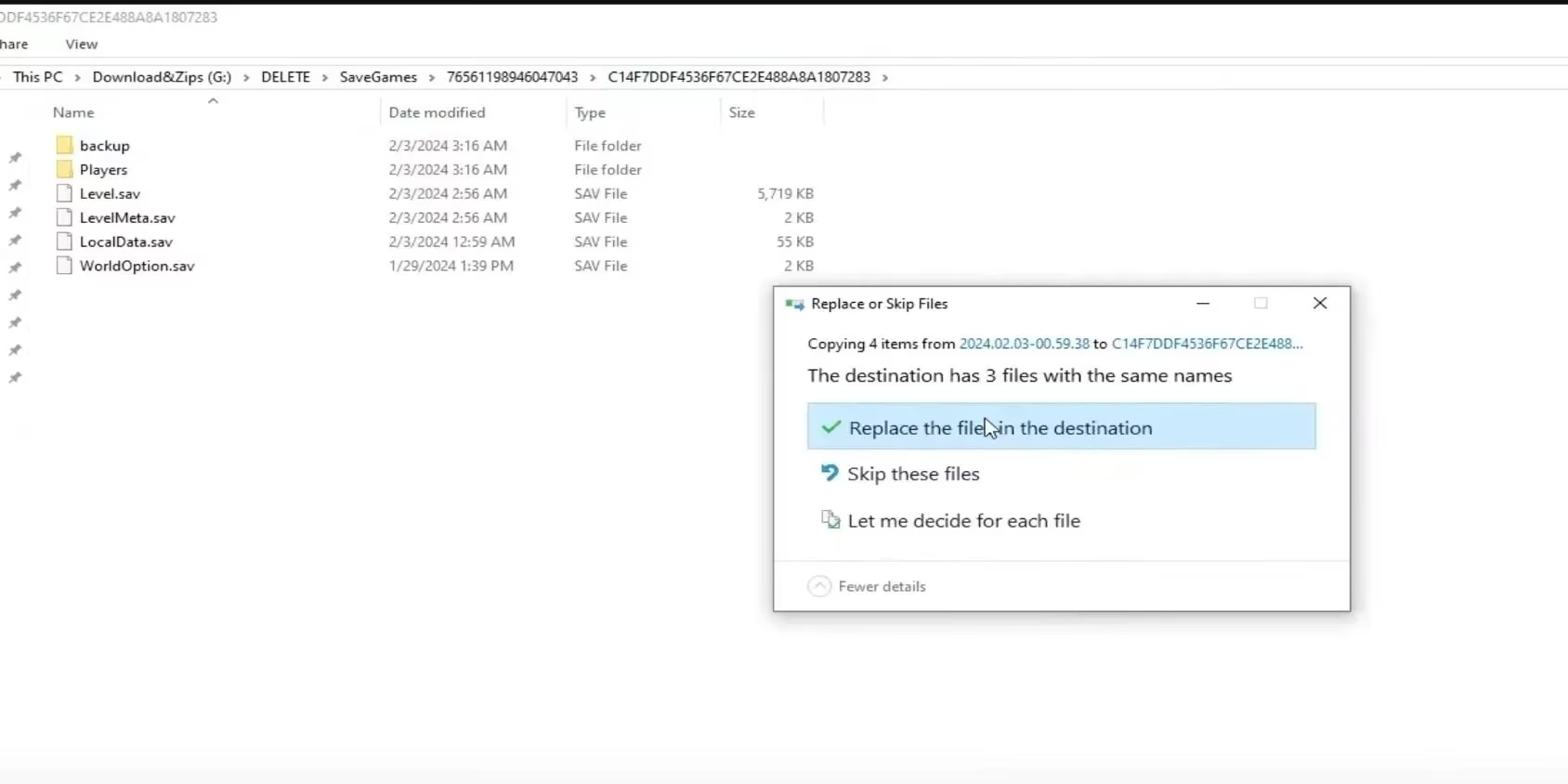
The resurrection is the reverse of the preservation ritual, but with purpose!
-
Navigate back to your main Palworld saved data folder (the one containing the live
Level.savfiles, not inside theBackupfolder). -
Take the
LocalData.savfile from your backup archive and paste it here, allowing it to overwrite the existing file. You have just replaced your current soul with an older, preserved one. -
Now, take the trio of files from your
Worldbackup—Players(folder),Level.sav, andLevelMeta.sav—and paste them into this same main folder, overwriting the current world.
Launch Palworld. Behold! The main menu should now reflect your older save date. Load your game, and you will be standing once more in the past, your world restored to its former glory. The calamity has been undone!
🎮 The Xbox & Microsoft Store Odyssey: A Path Less Traveled
For the valiant pioneers playing via Xbox Game Pass or the Microsoft Store in 2026, the path to salvation is more obscure, buried deeper within the Windows architecture. The standard incantation (%LocalAppData%) will not suffice. You must embark on a manual expedition.

-
Open your C: Drive (or primary local disk).
-
Navigate to your user folder, then boldly open the often-hidden
AppDatafolder. (You may need to enable 'Show hidden items' in File Explorer View options). -
Descend into
Local>Packages. -
Here lies a crypt of folders. You must find the one specific to Palworld, typically named:
PocketpairInc.Palworld_ad4psfrxyesvt. Enter. -
Your journey continues:
SystemAppData>wgs. This is the final resting place of your Game Pass save data—a series of folders with long, alphanumeric names.
To Backup: Identify the correct folder (trial and error by date modified may be necessary). Copy the entire folder to a safe, external location.
To Restore: Simply paste your backed-up folder back into the wgs directory, replacing the existing one if prompted. The next time you launch Palworld through Game Pass, it will awaken in that saved era.
🛡️ The 2026 Palworld Preservation Manifesto
In the unpredictable wilds of an evolving early-access titan like Palworld, your save files are more than data; they are your sovereignty, your history, your blood, sweat, and Pal-spheres given digital form. Treat them with the reverence they deserve!
-
Backup Early, Backup Often: Make it a habit after every significant play session.
-
Employ the 3-2-1 Rule: Keep 3 copies of your data, on 2 different types of media (e.g., external SSD and cloud storage), with 1 copy kept offsite.
-
Label Your Backups: "Pre-Jetragon Fight" or "Massive Ore Base Complete" are far more useful than "Backup_2026_02_15".
-
The Community is Your Ally: In 2026, forums and subreddits remain invaluable for troubleshooting unique crash-related save issues.
Do not be a statistic in the annals of lost progress! Seize control of your timeline. Master these techniques, and you will laugh in the face of crashes, smirk at game-breaking bugs, and play with the fearless confidence of a true Palworld deity. Now go forth, build, battle, and be certain that your legend is permanently, perfectly preserved. 🏆✨
Loading comments...